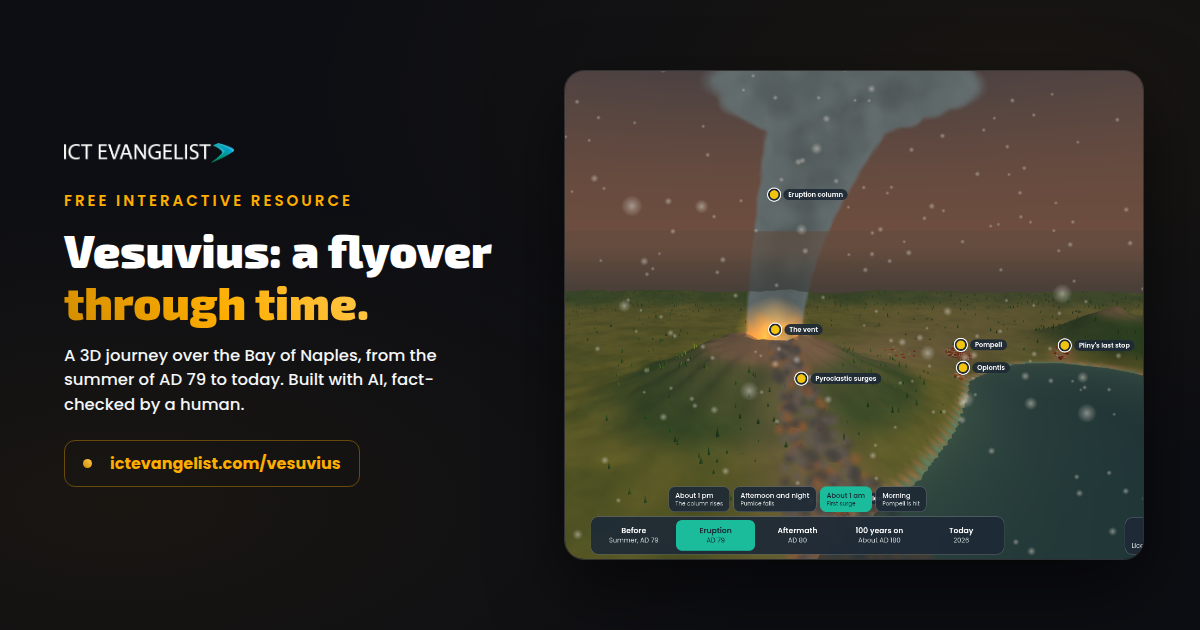
So this is pretty cool. I thought I’d test some of the limits of Claude and made an interactive 3D flyover of Vesuvius. Using my usual STAIR approach, I described what I wanted in plain English, nudged it a few times, and that was that. I didn’t have to code a thing.
Have a play before you read on: ictevangelist.com/vesuvius
What it does
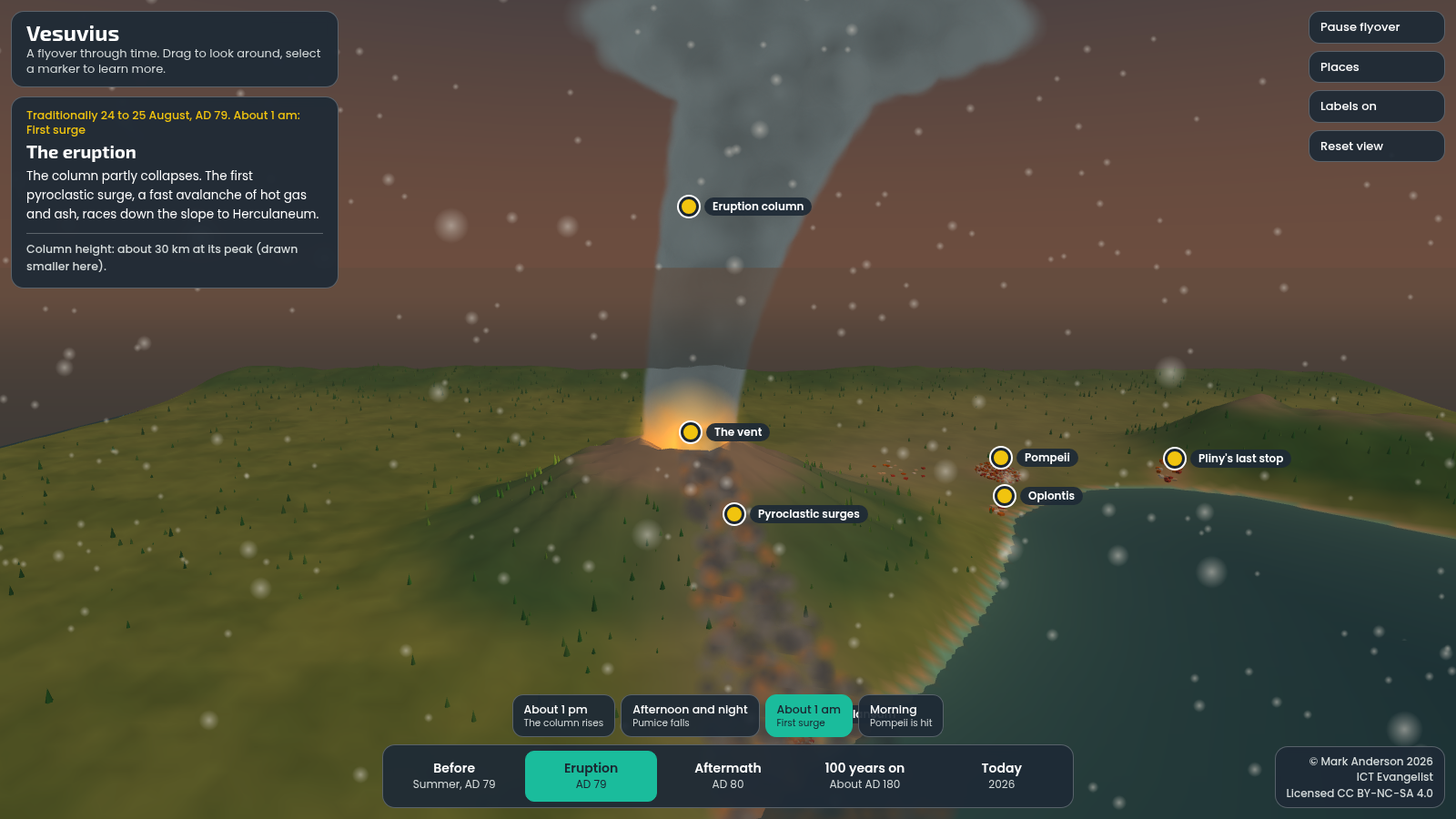
You can fly around the Bay of Naples at five points in time, from the summer before the eruption right through to today, with the eruption itself playing out across four phases. There are markers to tap for Pompeii, Herculaneum, Oplontis and the rest, each one opening up the history of that place at that moment. It runs in the browser on any device, nothing to install, and the whole thing is one file.
How I made it
There was no code involved at my end. I described the resource I wanted in plain English, looked at what came back, and nudged: move this, make that plainer, add a marker for the bay itself, put a proper credit in the corner. Each nudge took moments to see on screen, and the whole thing came together in an evening. It is one single HTML file, which is why it loads quickly and runs anywhere.
Check everything
The first thing I’d share if you’re tempted to make one of these, and you should be: check everything. I went through every fact on mine, the dates, the depths, the heights, and found a couple that needed correcting. One example: the first version said Pliny the Elder was 55 when he died at Stabiae, but his birth year isn’t actually certain, so it now says 55 or 56. Small things, and correctness, well… it’s important.
The usual question still applies
The same question we ask of any technology applies here too: will it support your teaching, enhance their learning or reduce your workload? If a resource like this doesn’t do one of those for your lesson, it’s a lovely toy. Pedagogy first, technology second, always. For sure it’s an amazing thing, but would you use it to support what you actually want or would you share it because it’s cool? Remember technology used as a gimmick often undervalues you as a teacher, your subject and what you’re trying to achieve.
What about Copilot and Gemini?
I made this with Claude, and I know plenty of schools and trusts can’t use Claude or ChatGPT. Of the tools you’re more likely to have, Gemini is the one that can do this mosty simply: it has a canvas where you describe what you want, watch it run and keep nudging, the same way I worked here. You can get the code out of Copilot Chat, but there’s no canvas to run it in, so it’s nowhere near as easy to iterate your way to the end point.
And because a claim like that deserves a fair test, I tried the same build in Gemini Canvas too. The result wasn’t as good as the Claude version by some margin, I’m pretty confident I could have achieved more if I was prepared to give it more time, but I wasn’t. As you’ll see though, it isn’t bad at all, and for a tool many schools already have, you’ll probably want to take a look! You can see what Gemini made here and judge for yourself.
Take it, use it, adapt it
In the classroom it’s a free interactive Vesuvius resource for KS2 and KS3 geography and history: volcanoes, the Romans, Pompeii, wherever it fits your curriculum.
The flyover is free and openly licensed under CC BY-NC-SA, so take it, use it with your classes, adapt it for your own topic, fill your boots. And if you make something for your own subject, I’d absolutely love to see what you come up with.
And if you’d like your staff to learn how to build, and just as importantly evaluate, resources like this, that’s exactly what my training and INSET days cover. You know how to get in touch.