Day 7 of the #24DaysOfAI Appvent Calendar brings another thoughtful contribution from Teresa Menton. Teresa has chosen a tool that sits firmly within the day-to-day reality of classroom life and one that continues to gain momentum among teachers looking for practical, time-saving support with core tasks.
Her post explores how this tool is evolving in response to the pressures teachers face around planning, feedback, differentiation and academic integrity, and why it has resonated so strongly with colleagues internationally. Teresa brings both clarity and experience to her review, making this a particularly valuable read for anyone considering how AI can support teaching while keeping professional judgement at the centre.
 AI Tool of the Day: BriskAI. Your New Teaching Superpower (Cape Not Included… Yet!)
Today I’m shining the spotlight on BriskAI, the tool that recently scooped Best Free Digital Tool at GESS Dubai 2025, AND won the Global EdTech Start-up Award.
Yes, that’s right – BriskAI is officially the Beyoncé of educational technology this year, and if you’ve not tried it yet, prepare to be amazed! This is by far the best AI tool for teachers, and I personally couldn’t live without it!
What Is BriskAI?
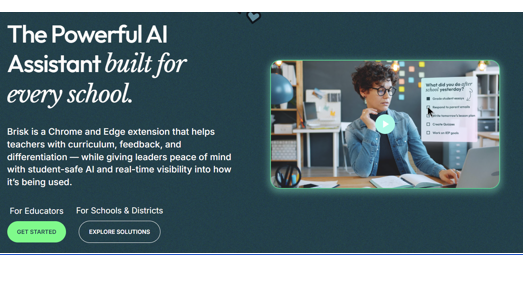
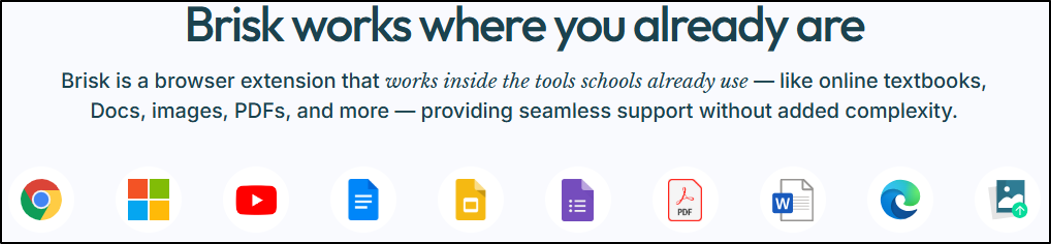
BriskAI is an AI-powered Swiss Army knife for teachers. It is cleverly designed to support planning, instruction, feedback, differentiation, plagiarism checking, and everything in between without demanding a soul-sacrificing subscription fee. It works wherever you are – no cumbersome logins – it supports you in the platforms you use every day:
Educational Benefits (AKA: Reasons BriskAI Deserves a Teacher of the Year Award)
1. Ridiculously Fast Differentiation
Ever stared at your class thinking, “How am I meant to teach all of you the same thing at the same time?”
BriskAI steps in like a pedagogical superhero:
- Generates three-tiered differentiation
- Adjusts reading ages
- Simplifies or extends texts
- Quickly translates digital texts into over 50 languages
All in seconds. Not even coffee works that fast!
2. Lightning-Speed Feedback and Marking
Upload student writing one by one or as a batch upload (my new favourite feature!) and if you want to, upload a bespoke rubric and BriskAI analyses it and returns meaningful feedback that you can customise to suit your needs. Most feedback features come as part of the free version, but if you are lucky enough to have a whole school subscription then you get even better features!! The different ways to feedback are:
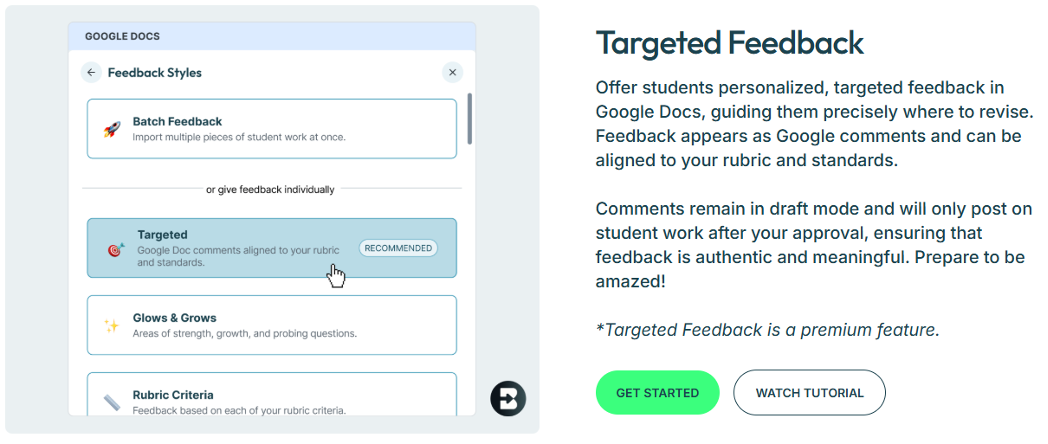
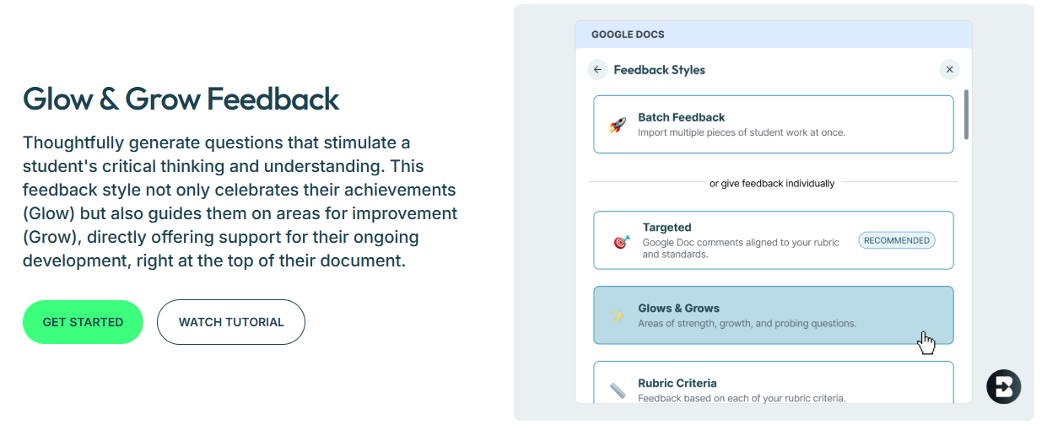
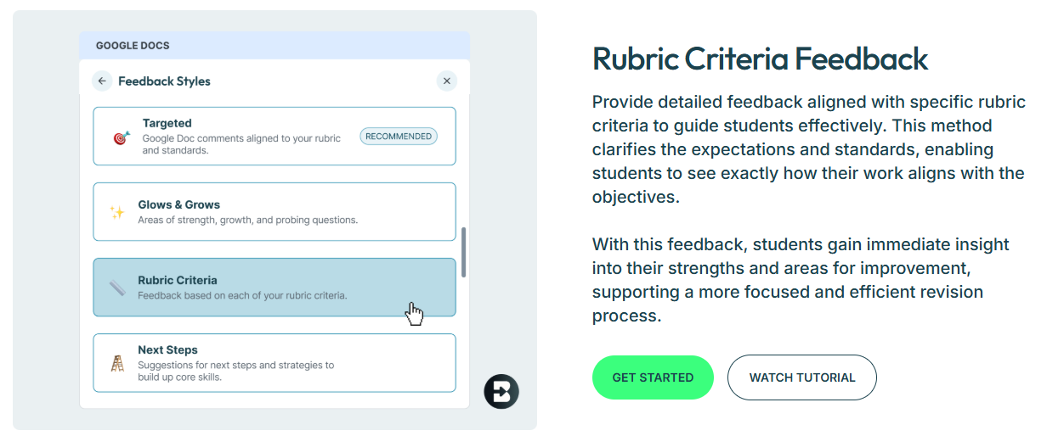
Marking: done.
Teacher Sunday scaries: reduced.
Your sanity: saved.
3. AI-Generated Lessons, Slides & Activities
No planning left in your brain? BriskAI can:
- Build full lesson slides
- Create quizzes and exit tickets
- Generate vocabulary lists
- Create model answers
- Adapt tasks for EAL, SEN, or high-attaining students
Basically, if it goes in a classroom, BriskAI can make it.
4. Inspect Writing: The Saviour of All Saviours
Let’s be honest: teachers can spot copy-and-paste writing from a mile away…but confirming it? Proving it?
Addressing it diplomatically without saying, “I know this is from Wikipedia, Sanjay”?
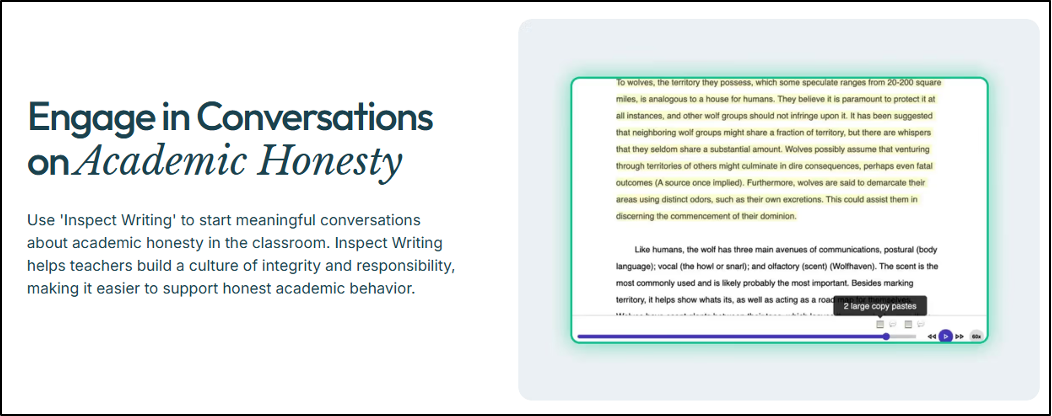
That’s where BriskAI’s Inspect Writing tool swoops in like the Avengers of academic integrity.
Inspect Writing; Your Truth Detector!
This is the feature teachers dreamt about long before AI was a thing.
When you have student’s work or coursework you can check everything in the Inspect Writing feature
● It gives a “likely bar” as to whether AI/ChatGPT may have helped (a bit too much)
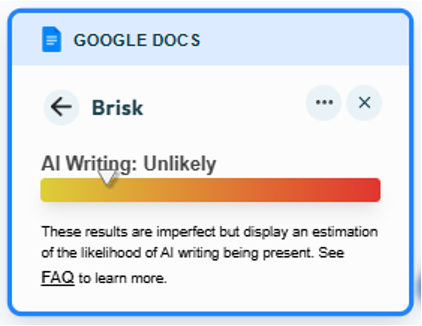
This alone is usually enough – you will know your own students’ work and be able to apply your professional judgement however, it’s this next feature that is just down right genius!
The extension can play back every single keystroke on the document, and identifies any large copy and pasted sections – students can no longer hide this! It tells you:
● How many large pastes have been added (and where)
● How many edits the students has done
● How long a student has spent on their document
It’s like having Sherlock Holmes and Grammarly, whispering in your ear at once, but in a nice way!

This feature doesn’t just catch issues; it helps you have evidence-based conversations with students and if necessary – parents (hallelujah!)
Why These Tools Matter
In a world where:
● AI is everywhere
● Plagiarism is easier than ever
● Students think “changing three words” makes it original
● And teachers are expected to be detectives, moderators, counsellors, and magicians…
Practical Application: How to Get Started
Access
BriskAI is completely free (yes, free as in zero budget meetings required).
Sign up via browser using Google or Microsoft single sign-on. It gives you three options to access these phenomenal tools – the Chrome extension is my personal favourite. I do highly recommend you explore the school site subscription if your school can afford it – it has revolutionised our T&L!
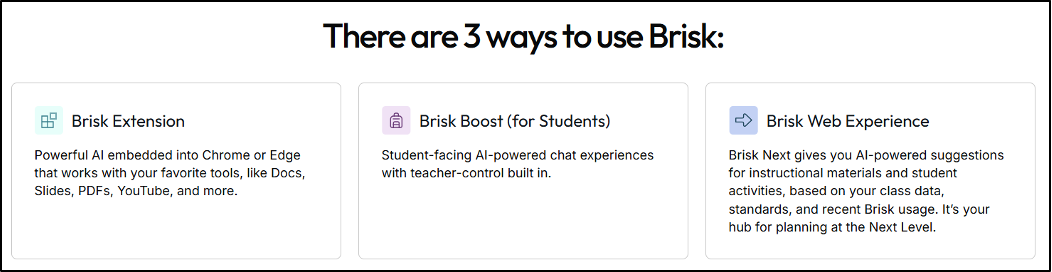
Once Inside your Platform?
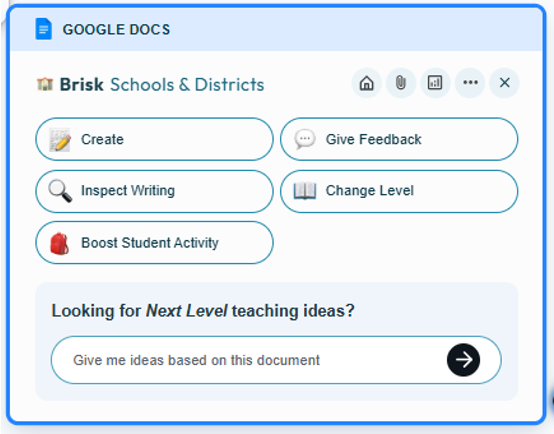
You’ll see a Brisk Icon in the bottom right hand corner and it will give you a dashboard offering every tool you could possibly want -this example below is from Google Docs, but it is available on Youtube, Chrome, Forms, Slides, PDFs, and Microsoft products too!
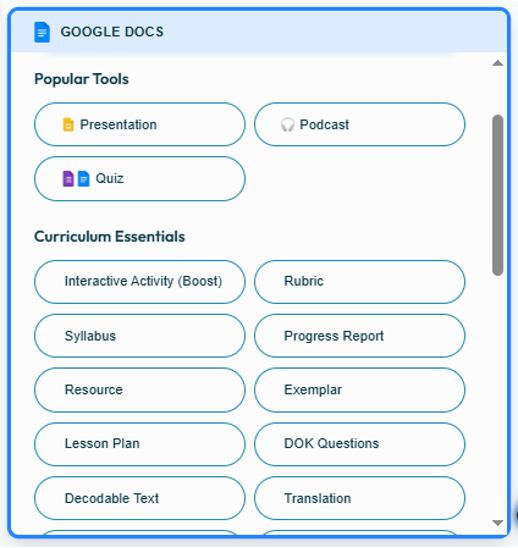
Choose a tool, paste your text or upload your file, and BriskAI will transform it like AI sorcery.
Considerations and Tips
- As with all AI tools, teachers should review content for accuracy and curriculum alignment.
- Remember: AI supports professional judgement, it doesn’t replace it.
- Check with your school’s Data Protection Officer regarding use with student names or work uploads.
- BriskAI updates frequently, so keeping an eye on their blog or release notes can help unlock new features faster than your students unlock your locked phone.
Why BriskAI Stands Out (And Why Everyone Is Talking About It)
BriskAI isn’t just another “AI for teachers” platform. It’s fast, teacher-designed, classroom-tested, and rooted in real instructional need. I have used this since its inception and it evolves rapidly, bringing more and more useful teacher tools every month!
And now?
It is award-winning, internationally recognised, and rapidly becoming the tool teachers recommend to each other in staffrooms with the tone of someone sharing a life hack that actually works.
If 2022 was the rise of AI in education, 2025 is the year BriskAI became indispensable.
Visit their website, try it out, and enjoy more teaching and less admin, because in a world full of edtech noise, BriskAI is the tool that actually delivers. (And no… I’m not on commission – just genuinely obsessed with this tool!)
My thanks
Huge thanks to Teresa for contributing to the Appvent calendar and for going the extra mile with the screenshots and linked videos on top of the write up. You can connect with Teresa on LinkedIn here, she’s a great member of my PLN, and I’m sure she’d complement your PLN well too.