Welcome to Day 19 of the #24DaysOfAI Appvent Calendar!
I simply cannot believe we’re on the 19th December already, with only 5 more entries left to go on the calendar, where has this month gone?!
Today’s recommendation comes from Joe Arday, a passionate advocate for diversity in EdTech, who suggested we explore the popular Google NotebookLM tool.
 Most AI tools know a bit about everything and hallucinate the rest. They’ll confidently explain quantum physics one minute, then completely fabricate historical dates the next. For educators trying to create reliable revision resources or study materials, this is a nightmare.
What if you could upload your trusted resources – the PDFs you’ve vetted, the videos you know are accurate, your own lesson materials – and have them automatically transformed into podcasts, quizzes, flashcards, videos, mind maps, and presentations? No hallucinations about topics they shouldn’t know, just multiple formats generated from exactly the materials you provide.
Tool of the Day
Today’s tool on the #24DaysOfAI is Google NotebookLM, which transforms your uploaded sources into nine different learning formats at the click of a button. Upload PDFs, Google Docs, YouTube videos, slides, even spreadsheets, and NotebookLM’s Studio panel presents you with creation options.
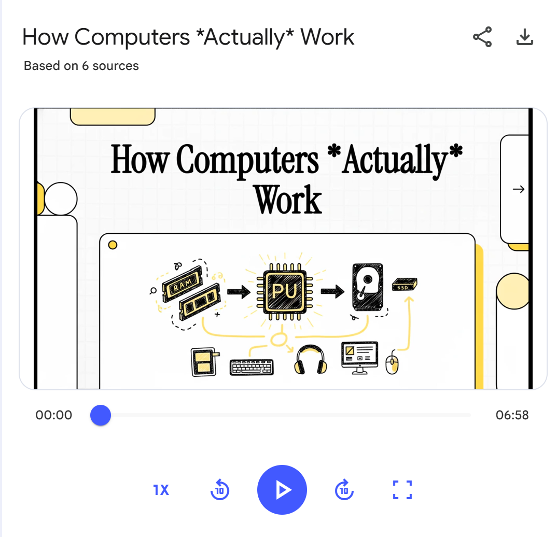
The standout feature is Audio Overview – those viral AI podcasts where two hosts naturally discuss your content. They interrupt each other, express genuine surprise, build on points. You can customise the format (deep dive, brief, critique, or debate), the length, even tell them what to focus on or what expertise level to pitch at.
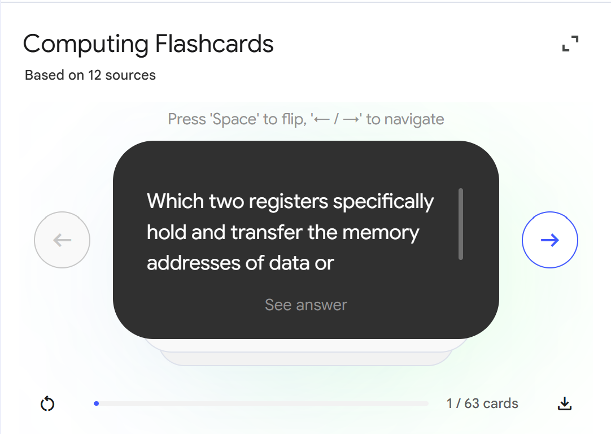
But that’s just the start. From the same sources, generate video overviews with animations, mind maps showing concept connections, flashcards with adjustable difficulty, multi-choice quizzes with explanations, infographics for visual summaries, complete slide decks, structured reports, even data tables. Each format has that pencil icon – customise the number of items, difficulty level, focus areas, output language (80+ supported), presentation style.
Educational Benefits
The source-grounding changes everything. NotebookLM only knows what’s in your uploaded materials. When it generates a quiz about photosynthesis, those questions come directly from your resources. No creative fiction, no confident nonsense – just your vetted content transformed into different formats.
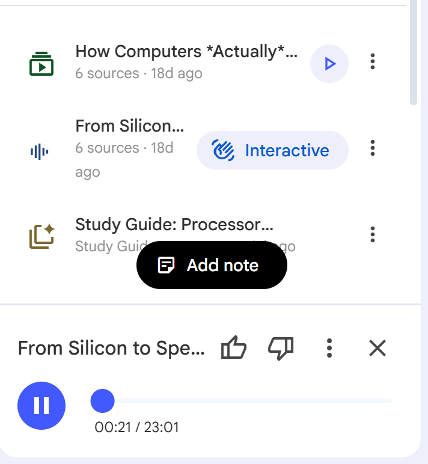
For revision, students upload their notes, past papers, and specification documents. One click generates flashcards using the exact terminology they need, quizzes matching their exam format, and podcasts discussing precisely what they’ll be tested on. Joe’s A-level Computer Science example shows this perfectly – one topic’s resources become nine different ways to revise.
Teachers achieve differentiation without creating multiple resources. Upload lesson materials once. Students who learn by listening get the podcast, visual learners use the mind map, and those who learn through testing tackle the quiz. Some need presenter-style slides with talking points, others want detailed decks with full text. NotebookLM generates them all from the same source.
Practical Application
Through Google Workspace for Education, creating revision notebooks is straightforward. Students build topic-specific collections throughout the year – class notes, mark schemes, and trusted YouTube videos. By exam time, they’ve got a complete revision toolkit ready to generate in any format they need.
The customisation transforms generic outputs into targeted resources. Set flashcards to “hard” for top set, “easy” for those needing support. Tell the Audio Overview to “explain like you’re talking to year 7s” or “assume A-level physics knowledge”. Generate a 2-minute brief for quick revision or a 20-minute deep dive for thorough understanding.
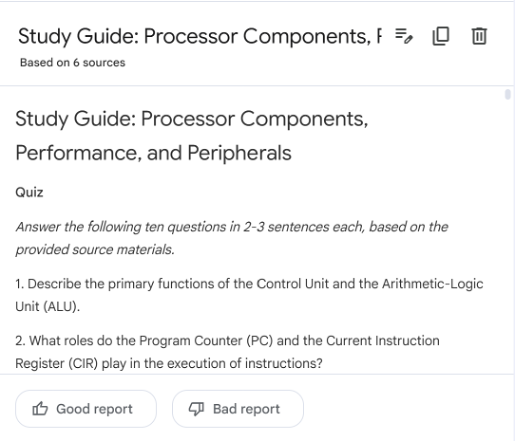
For flipped learning, generate tomorrow’s topic as a podcast or video. Students engage with content before class, and lesson time focuses on application. The critique format even provides ready-made evaluation points for discussion.
Google Classroom integration means notebooks can be created from assignments, shared with classes, or kept private. You control the knowledge base by controlling what you upload.
Considerations and Tips
Garbage in equals garbage out. Upload poorly structured notes, get confusing podcasts. Include conflicting sources, watch the AI struggle to reconcile them. Curation is everything – think of yourself as programming a specialist content generator.
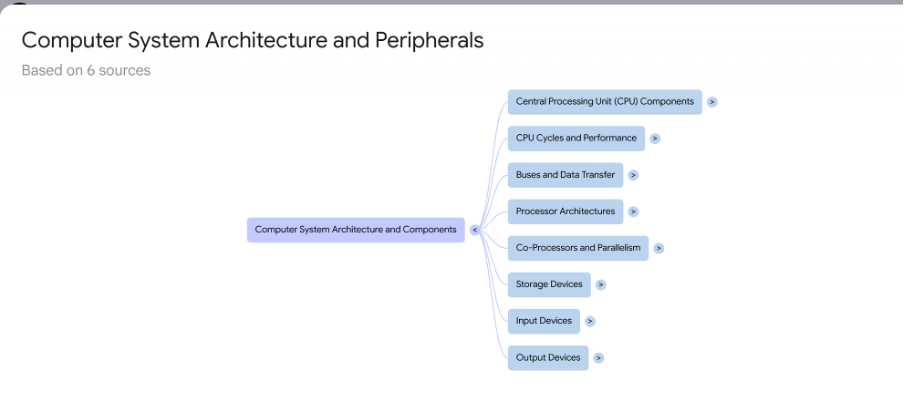
Generated content needs checking. The podcasts might miss nuances, quizzes could emphasise trivial points, and mind maps may overlook key connections. Train students to verify against source materials – these are study aids, not replacements for understanding.
For best results, include diverse source types. Combine your teaching slides with exam board specifications, add examiner reports for assessment focus, and include worked examples for problem-solving subjects. The AI learns not just content but context.
Conclusion
NotebookLM solves the trust problem by limiting AI knowledge to exactly what you provide. Upload rubbish, get rubbish. Upload quality, get quality – transformed into whatever format helps students learn best.
The automatic generation of nine different formats from one source set makes differentiation manageable and revision engaging. When students can instantly turn their notes into a podcast for the journey home or flashcards for quick testing, learning becomes more accessible.
For educators drowning in resource creation, NotebookLM doesn’t add to your workload – it multiplies what you’ve already created.
Find out more at notebooklm.google.
Check back tomorrow for Day 20!